
Image to Video
Attach one picture and it becomes the opening frame. Describe what moves, and how the camera follows it.
What went in

What came out
Write a shot or upload up to 7 images, and Grok Imagine Video renders a clip with synced audio. Upload a video to extend or restyle it.
We refuse nudity, sexual content and any edit that undresses a real person. Terms of Service
Grok Imagine clips: some rendered here on GrokImagineVideoAI, some shared by their creators on X. Pick one and its prompt drops into the generator, ready for a fresh take.
Community clips shared on X by: Swetha Prabhakar, じろじろin下関, Lindy Hawkinson, Lindy Hawkinson, A. To have a clip removed, write to support@grokimaginevideoai.com.
One model, five ways in
Each job goes to its own Grok endpoint. What you attach decides which one runs, so there is no mode to set up first.
Attach one picture and it becomes the opening frame. Describe what moves, and how the camera follows it.
What went in
What came out
Give the model a character and a location, then write the scene. Name each picture in your prompt as <IMAGE_0>, <IMAGE_1> and so on, in upload order.
What went in

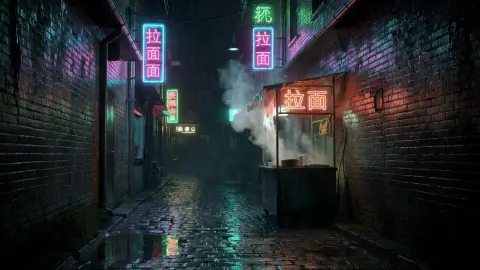
What came out
What went in
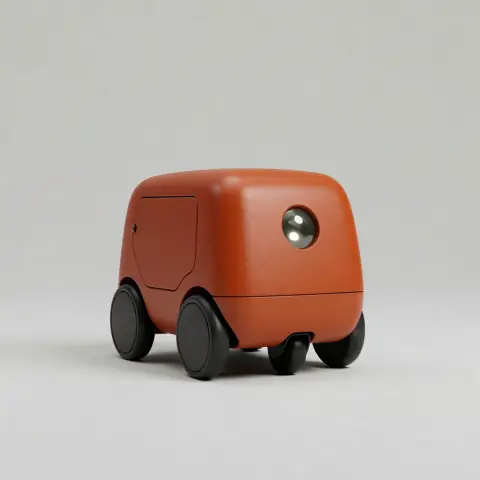

What came out
Upload a clip and write what happens next. Grok continues from where it stops, adding 6 or 10 seconds.
What went in
What came out
Upload a clip and say what should change: the style, the weather, the time of day. The first 8 seconds are read and the motion carries over.
What went in
What came out
Where it fits
Each of these clips started as a few lines of text. Load the prompt, change the subject, and render your own.
Test a big idea before anyone builds it. A single establishing shot can show a producer the scale you have in mind.
Paper, clay and miniature looks give a small brand a handmade feel. Describe the material and the light as carefully as the action.
Start from artwork you already have, attach it, and describe the next few seconds of what the character does.
Stills too
Switch to the Image tab to change a picture in one sentence. Left is the input, right is the result from the prompt below it.


New words go on the poster, with the tram, the palette and the lettering style left alone.
Replace the headline with "PORTO" and the line below it with "City of Bridges". Leave the rest untouched.
How it works
Describe the subject, the action and the camera. Attach one image to animate it, several as references, or a video to extend or edit.
The standard model makes 6 or 10 seconds at up to 720p. v1.5 goes from 1 to 15 seconds and up to 1080p. The button shows the credits before you spend them.
The clip lands in your library with its sound. Download it, or upload it again to add more seconds.
Inside GrokImagineVideoAI
Grok Imagine is xAI's video and image model family. GrokImagineVideoAI puts both versions and every endpoint behind one prompt box.
The standard model costs 10 credits a second in 6 or 10 second lengths. v1.5 runs from 1 to 15 seconds and adds 1080p, from 16 credits a second.
Clips come back with audio, so you can describe dialogue, ambience or music in the prompt. Listen before you publish, since results vary from run to run.
Extending and editing work on any clip you upload. An edit reads up to 8 seconds, and you pay only for the seconds it reads.
The price is worked out on our server before a render starts. If a run fails or is refused, the credits return to your balance.
Spend your sign-up credits first. Choose a plan when clips become a regular part of your week.
Lite
For trying ideas, social posts and the odd client job.
~$0.010 per credit
From about $0.62 a clip
What you get
Pro
For shops and small teams that publish new visuals each week.
~$0.008 per credit
From about $0.50 a clip
All of Lite, and
Ultra
For studios rendering clips every working day.
~$0.007 per credit
From about $0.42 a clip
All of Pro, and
Prices shown include any applicable tax.
Questions
Sign up, describe the shot and press the button. Attach one image to animate it, two to seven as references, or a video to extend or edit. Finished clips go to your library, ready to download.
It is xAI's video model. Version 1.0 arrived in February 2026 with 10-second clips and audio, and version 1.5 extended clips to 15 seconds. GrokImagineVideoAI runs both through WaveSpeed.
The standard model is the cheaper choice and the only one here that can extend or edit a clip. v1.5 offers any length from 1 to 15 seconds, 1080p from text or one image, and more shapes. It costs more per second.
Up to 7 on both models. Refer to them in your prompt as <IMAGE_0>, <IMAGE_1> and so on, in upload order. On v1.5 each reference adds 2 credits and output stops at 720p.
On this site each clip costs credits. Signing up includes enough for one 6-second clip, and after that you can choose a plan or buy a top-up. xAI sets its own access rules in its Grok apps.
Yes. xAI describes its video models as generating audio along with the picture. Describe voices, ambience or music in your prompt. How closely the result follows that varies, so listen before you publish.
Yes, on the standard model. Upload a clip and choose Extend to add 6 or 10 seconds, or Edit to change it by instruction. Edit reads the first 8 seconds and works at 480p or 720p. The input is scaled down before processing.
The standard model uses 10 credits a second, so 6 seconds is 60 credits and 10 seconds is 100. v1.5 uses 16, 28 or 50 credits a second at 480p, 720p or 1080p. The exact figure is on the button before you start.
The standard model renders 6 or 10 seconds at 480p or 720p, in 16:9, 1:1 or 9:16. v1.5 renders 1 to 15 seconds at up to 1080p and adds 3:2 and 2:3. With an opening image, the shape follows that image.
We cannot settle that for you. Read xAI's and WaveSpeed's current terms before commercial work, and steer clear of real people's likenesses, other brands and anything you do not have the rights to.
No. GrokImagineVideoAI is an independent website that runs Grok Imagine through the third-party API platform WaveSpeed. It is not made by, endorsed by or affiliated with xAI.
Sign up, spend your free credits on a shot you actually want, and judge the result yourself.